
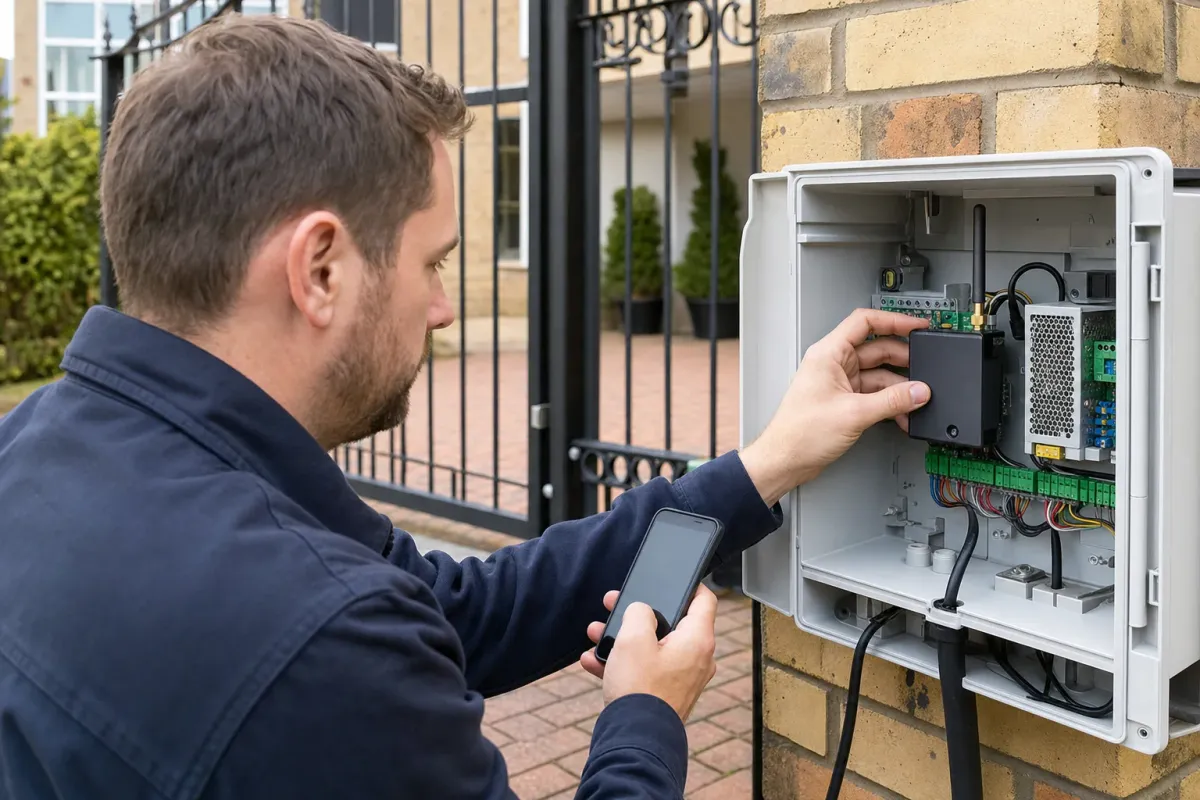
Separate phone entry from visitor calling
Some gate controllers recognise an authorised phone number and request an opening when it calls. An intercom also lets a visitor speak to a resident. Ask which function the proposed device provides, whether it uses voice, SMS or data, and what the caller experiences.
A remote command does not confirm that the entrance is clear or the gate has opened. Discuss how the complete system manages unattended operation and how you will know whether a fault has prevented movement.
How a SIM-card gate opener differs from an intercom
With a phone-operated gate switch, an authorised user contacts the number or service assigned to the installed device. The unit then requests an action from the gate controller. An installer needs to confirm the supported method, permissions and controller connection for the chosen model. You should not assume that dialling any gate SIM number grants access.
The AES i-Gate product information, for example, describes call and SMS control of its GSM switches. Its products and app arrangements vary, so specify the exact model rather than asking for an unspecified GSM box. A gate switch does not by itself give a visitor a microphone, camera or call button.
If you want a delivery driver to call you from the gate, specify that visitor conversation separately. Decide whether you need audio or video and how you want to answer. A cellular video system may use a data connection and an app, while another unit may place an ordinary voice call. Confirm the actual call path during the quotation stage.
Check the device, SIM and network together
Ask for the exact device model and supported network technologies. Confirm the SIM plan permits its required services and how the unit handles caller identification. A label saying 4G does not, by itself, confirm support for the voice service your network uses.
As checked in October 2026, Ofcom reports that UK 3G networks have switched off and that operators are preparing their 2G closures. Check Ofcom’s current switch-off guidance and obtain the equipment supplier’s migration advice. Avoid buying an older controller solely because a SIM currently connects.
Signal at the entrance: check the installation position
A postcode coverage result is a starting point for the survey, not an acceptance test for the finished installation. Ask the installer to check the proposed network at the intended unit and antenna positions. Give them the location of the gate relative to the house, boundary walls and any existing equipment enclosure.
On a London mews or recessed entrance, describe the physical layout instead of assuming that a city address guarantees coverage. The installer should explain how the antenna and cable route will suit the product. Do not run an antenna cable through a motor housing or move electrical equipment yourself to improve reception.
Agree how the team will demonstrate successful calls or commands after installation. Test the functions you bought from the places you expect to use them, under the agreed safe operating arrangements. Keep a record of any unresolved reception problem rather than accepting an occasional successful command as the whole handover.
Can phone entry be added to existing electric gates?
A retrofit needs a compatibility assessment of the existing gate controller and the proposed entry device. Provide the controller details from your records and explain which remotes, keypads, intercoms or pedestrian controls you want to retain. The installer should identify the command interface and power arrangements before quoting the connection work.
Ask whether the new control will request full opening, pedestrian access or another configured action, and how that fits the current operation. A phone module does not repair an unreliable motor or make a defective entrance safe. Any wider fault needs its own assessment.
Discuss adding GSM phone entry with the equipment list and photographs taken from safe positions. Confirm who will install, configure and check the completed system. Avoid a universal wiring diagram or SMS command copied from a different product manual.
Survey the signal and ongoing costs
Test service at the gate position on the proposed network. Discuss the enclosure, antenna location, cable route and power supply with the installer. Nearby buildings and the installed position can affect the result.
Confirm monthly charges, call or data allowances, top-up rules and what happens if an account expires. Ask whose name holds the SIM and how the household can change numbers or recover administrator access.
Purchase price, SIM charges and the cost of ownership
Compare quotations for the complete installation. List the controller or intercom, antenna, power provision, wiring, mounting, configuration and handover. If existing cable or power provision can be reused, ask the contractor to state that assumption and what happens if the survey finds it unsuitable.
Ask for the recurring charges in a separate line: SIM rental or top-ups, outgoing calls, texts, data and any app or service subscription. Establish which functions need each service. A device that uses calls for entry can have different requirements from one that sends video to an app. Neither the GSM label nor an app-store download establishes that ongoing use is free.
Keep a note of the renewal date and the person responsible for payment. For a shared entrance, agree how residents will fund the service and who can speak to the provider. You can then compare options over the same period without relying on a claimed universal saving.
Authorised users, visitors and shared-driveway access
Decide who should open the gate without speaking to a resident, who should receive visitor calls and who may change permissions. These can be different groups. Ask the supplier to demonstrate the permissions on the proposed model, including how to remove a lost phone or a former resident.
If you want time-limited visitor access, verify that the particular product and configuration support it. Agree who creates that access and what happens at expiry. Do not assume that every phone opener provides temporary codes, access logs, schedules or gate-position feedback. Those are features to confirm in writing.
Keep administrator credentials separate from everyday entry arrangements. Follow the product instructions to replace default credentials where applicable, and agree an account-recovery process that the property owner or managing agent controls. Avoid leaving the entire installation tied to the private account of a departed installer.
Hand over access management
Request a demonstration of adding and removing authorised users using the actual manual. Remove default credentials, restrict administrator access and arrange a backup entry method. Keep account recovery information with your gate records.
Compare visitor workflows in our intercom guide. A failing controller belongs in a repair assessment rather than a generic SMS reset sequence.
Loss of service, missed calls and handover checks
Ask what remains available if the mobile service fails, the SIM account expires or the gate loses power. Retained remotes or a keypad may offer another command method where the gate system remains operational; they cannot overcome every power or mechanical fault. A backup battery has a particular capacity and maintenance requirement, not a guaranteed number of days of access.
If phone entry stops working, note whether ordinary gate controls still work, which callers are affected and what the caller hears. Check the account status through the provider or responsible administrator. Give the installer that information without opening the unit or resetting its stored users. A failed call and an accepted call with no gate movement need different investigations.
- Demonstrate resident entry and visitor calling if both were specified.
- Confirm the intended gate action and explain any status message or notification.
- Demonstrate adding and removing an authorised user using the correct instructions.
- Record the SIM owner, payment arrangements, model details and support contact.
- Explain fallback access and the circumstances in which the entrance must remain out of use.
Keep that record with the gate documentation so another authorised person can manage the system later. Review permissions when occupants or regular contractors change, rather than waiting for an access problem.