
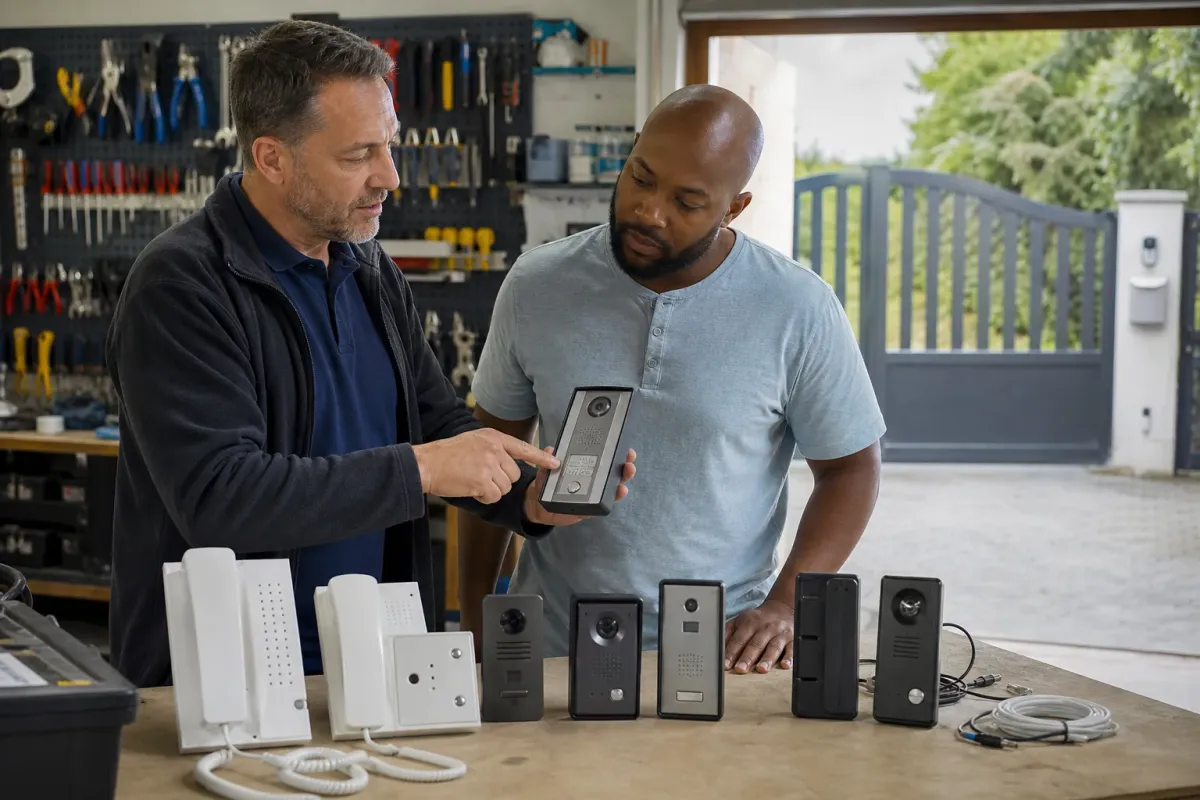
Decide where you want to answer visitors
List who should receive a call and whether they need an indoor monitor, phone calls, an app or a combination. Include anyone who does not use a smartphone. Decide what happens if nobody answers and how a visitor can leave a delivery.
Ask for a demonstration of the actual sequence: call, identify the visitor, grant entry and confirm that the gate has finished moving. Seeing a video does not necessarily mean the app reports the gate’s physical position.
Audio or video: choose the visitor information you need
An audio intercom lets you speak to the visitor. A video intercom adds a view from its camera. Decide whether a conversation is enough for your entrance or whether you need to see a caller before granting access. Consider household members who find a small screen, quiet speaker or app notification difficult to use.
For video, ask to see the view from the proposed mounting position. A camera aimed at a driver may not give the same view of someone on foot. Discuss lighting after dark, glare, weather exposure and the position of a caller using a wheelchair. A specification such as camera resolution cannot answer those layout questions.
Decide whether you want live viewing only or recordings, missed-call images and notifications. Have the supplier identify which features the proposed configuration provides and any storage or subscription requirements. Avoid assuming that video entry automatically includes recording or confirms the position of the gate.
Wired, IP and mobile intercoms: compare the whole route
Separate the connection between gate and house from the method used to answer a call. A system can have wired components and still use an app for some functions. Conversely, a wireless call path does not remove the need to supply and connect the equipment at the entrance.
| Option | When to consider it | Confirm before ordering |
|---|---|---|
| Dedicated wired indoor answering | You want a fixed handset or monitor for use at home. | Cable condition and route, compatible indoor units and whether local calls need any network service. |
| IP or app-based answering | You want supported network features or calls on selected phones. | Network coverage, account ownership, app support and which functions depend on an internet or cloud service. |
| Mobile-network entry | A suitable cellular service offers a practical call path at the entrance. | Device and SIM compatibility, voice or data requirements, signal and recurring charges. |
Some products combine indoor answering with phone access. Have the installer explain the configuration, including what still works if one connection fails. Calling a system hardwired does not establish that all of its features operate without the internet.
Compare the connection paths
A wired indoor system can suit a household that wants a dedicated answering point. An IP system needs the specified network and power arrangements. A mobile-network intercom needs suitable coverage, device support and a compatible SIM plan.
Test the connection at the proposed gate position. A strong indoor Wi-Fi signal or a phone signal from another network does not prove the intercom will work there. Discuss what remains available during a broadband, mobile-service or power failure.
Smartphone apps and smart-home integration
Write down the devices your household uses and the actions you need: answer a visitor, view the entrance, request opening or receive a missed-call notification. Ask the installer to demonstrate those actions on the proposed equipment. Support for one action does not establish support for all the others.
The Comelit app documentation, for example, lists entrance-panel calls and gate release among its functions, with manuals for named video-entry devices. Ask which functions the quoted hardware supports. That is why a brand name or an app logo is not enough to confirm compatibility with an existing installation.
For Ring, Google Home, Control4 or another existing system, use our smart-home integration checklist to define the exact functions and equipment. Confirm who supports the connection after an update and how account access transfers when you change phone or sell the property. Do not assume a general-purpose video doorbell includes a supported gate-release interface.
Retrofit an intercom without replacing the whole entrance
Start with the controller, existing answering equipment and any cable records. Ask the contractor to inspect the available route, supply and release connection. Reusing a cable or indoor monitor may be possible with a compatible system, but the proposal should identify the equipment it intends to keep and any limitations.
Tell the contractor whether you need full vehicle entry, pedestrian access or a separate pedestrian gate. Describe how each entrance should respond rather than asking for an extra relay without explaining its purpose. The team needs to assess the command interface alongside the safe operation of the gates.
If the current intercom rings but the gate does not open, record that symptom before deciding to replace the intercom. The calling function and release function need separate assessment. Buying a new entrance panel may not resolve a fault elsewhere in the system. This buying guide cannot diagnose that fault from the ringing sound alone.
Get the exact equipment and account terms
Request model numbers, the proposed release interface, supported monitors and app requirements. Confirm recording options, retention, subscriptions, SIM charges and which account owns the system. Ask how to remove a former resident or contractor.
Product families contain different devices. Compare named configurations rather than assuming a brand guarantees compatibility. Our Comelit and Hikvision comparison shows why the component list matters.
Compare installation costs and ongoing commitments
A useful quotation names the entrance panel, camera if required, indoor answering devices, power equipment and connection to the gate. It also describes cable work, mounting, network setup, configuration, testing and reinstatement. Ask whether VAT is included and which items depend on the site survey.
Compare recurring costs on the same basis. List SIM charges, subscriptions, recording or cloud-storage plans and any paid support. Confirm what happens to each function if a subscription ends. Ask the supplier to distinguish equipment warranty from installation workmanship and explain how future visits will be charged.
There is no sound universal fitted price for every London entrance. An existing usable cable route and a new route through finished paving involve different work. For a meaningful comparison, send each contractor the same brief and request the same answering points and access functions, rather than comparing only the price of the outdoor panel.
Shared entrances, recordings and control of accounts
For flats or a shared driveway, specify which household receives each call and who manages changes when residents move. Ask how visitors find the right name and how delivery access will work. Confirm the proposed capacity, user permissions and any management charges for the particular configuration.
If recording is proposed, discuss the camera view, whether audio is recorded, who can view footage, where it is stored and how long it is retained. Avoid treating a camera as permission to record neighbouring property without considering privacy. Agree the appropriate arrangements for the actual site before enabling recording.
Keep the property owner or responsible managing agent in control of administrator access and recovery details. Ask for a demonstration of removing a former resident without disrupting everyone else. Include residents who prefer a fixed answering point or cannot rely on a smartphone in the requirements from the start.
Plan installation and support
Include cable routes, power, camera position, lighting, accessibility and weather exposure in the survey. Confirm who commissions the connection to the gate controller and checks operation of the complete entrance.
Compare video intercoms and phone entry. Check Ofcom’s network-retirement guidance before buying mobile-network equipment.
A handover demonstration worth asking for
Use the visitor journey to check the installation with the contractor: a person arrives at the intended calling position, selects the right household, makes contact and receives a response. Then confirm the authorised release action and how users should observe or verify the entrance. Keep people outside the movement area during the demonstration.
- Check conversation quality and, where fitted, the camera view in the agreed conditions.
- Demonstrate calls to each specified monitor or phone, including the unanswered-call arrangement.
- Explain which functions depend on power, broadband, mobile service or an active account.
- Show user management and provide the correct equipment instructions.
- Record support contacts, renewal responsibilities and the agreed fallback access.
A successful video call does not prove the whole powered gate is safe. The installer needs to check the completed entrance and its protective measures. Ask for the handover records and maintenance advice, and keep them accessible to the person responsible for the property.